
Notes, drafted.
A first draft is waiting when the session ends. You check it, fix what needs fixing, and sign.
HJachi drafts your session notes for you to check and sign in minutes, whether you meet in your office or on video. Online booking, payments, receipts, scheduling and a simple space for your clients come with it.
14 days free · No credit card · Cancel anytime
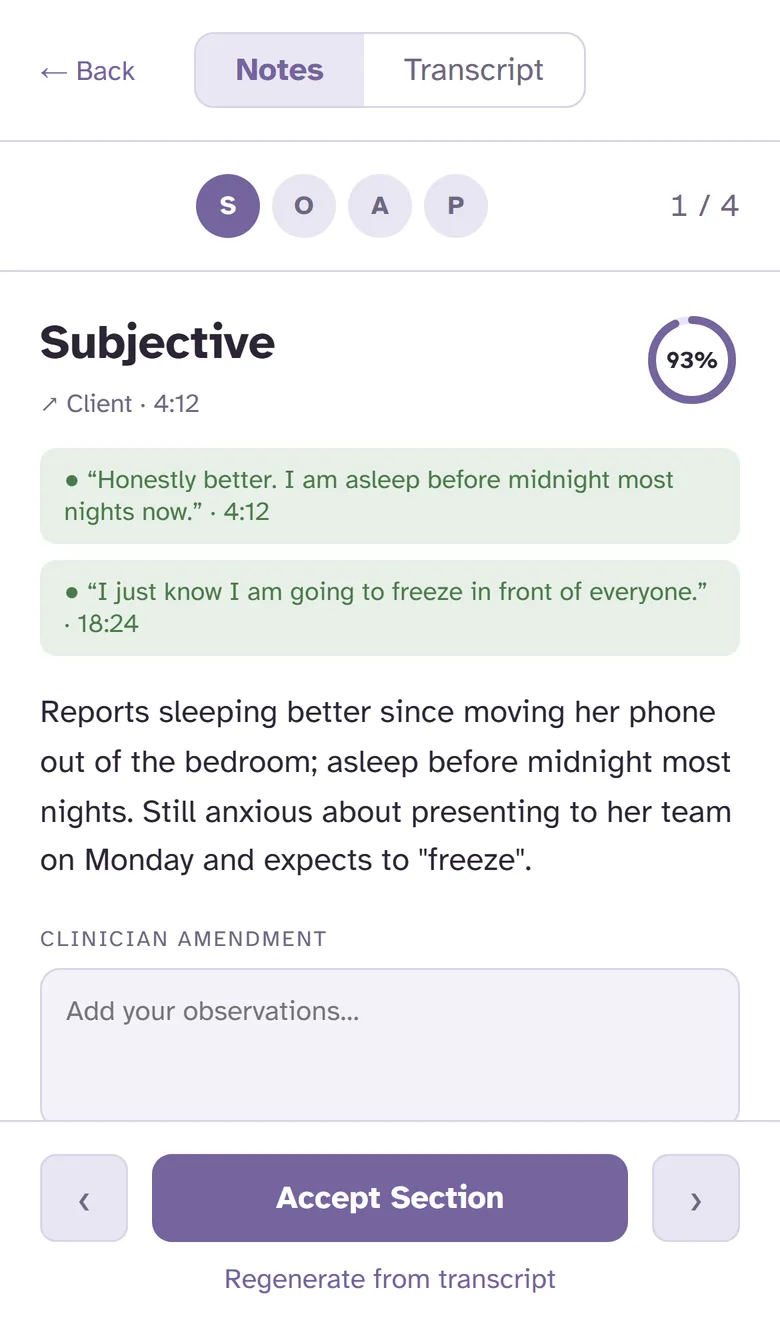
A first draft is waiting when the session ends. You check it, fix what needs fixing, and sign.
Clients book and pay from your link, reminders go out on their own, and you're paid automatically.
Scheduling, video sessions, notes, messaging and outcome tracking. No add-ons and no second login.
Writing up takes a few minutes, not your night.
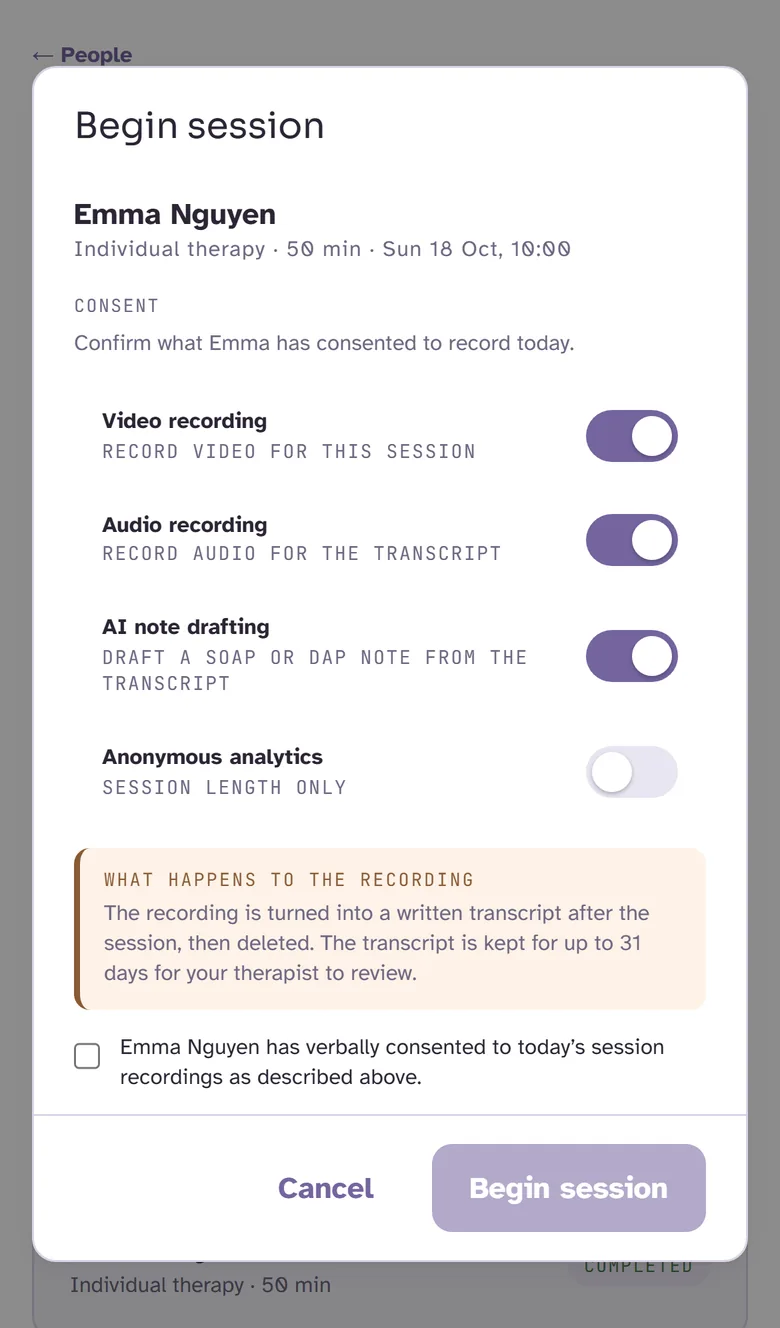
Your client agrees to recording and AI-drafted notes on screen, or from a link before the session. For couples and families, each person gives their own consent. It's saved to their file, so you never chase a form.
Meet on video, by audio only, or in your office with HJachi open on your laptop. Pause the recording whenever you need to, and keep your attention on the person in front of you.
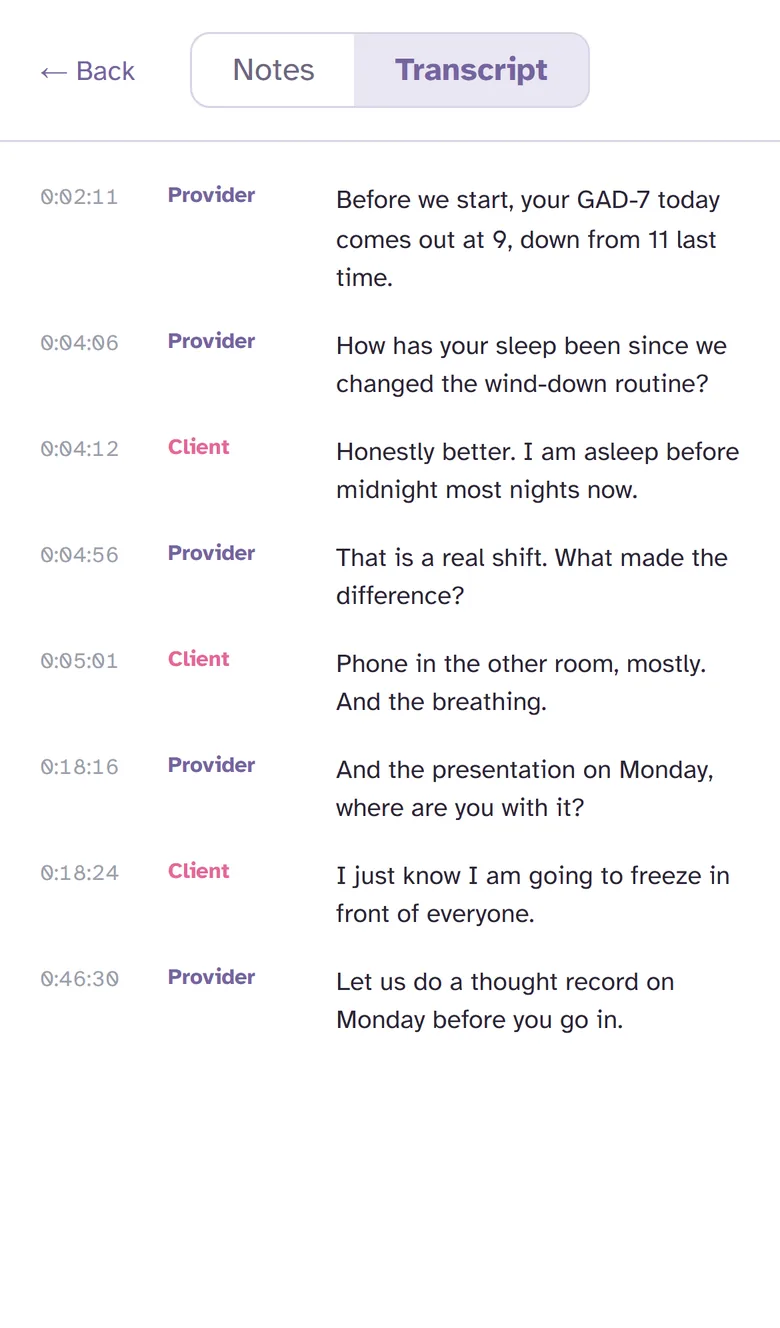
When you wrap up, the conversation is already written out. On video, each person's words are labelled, so you can find any moment in seconds.
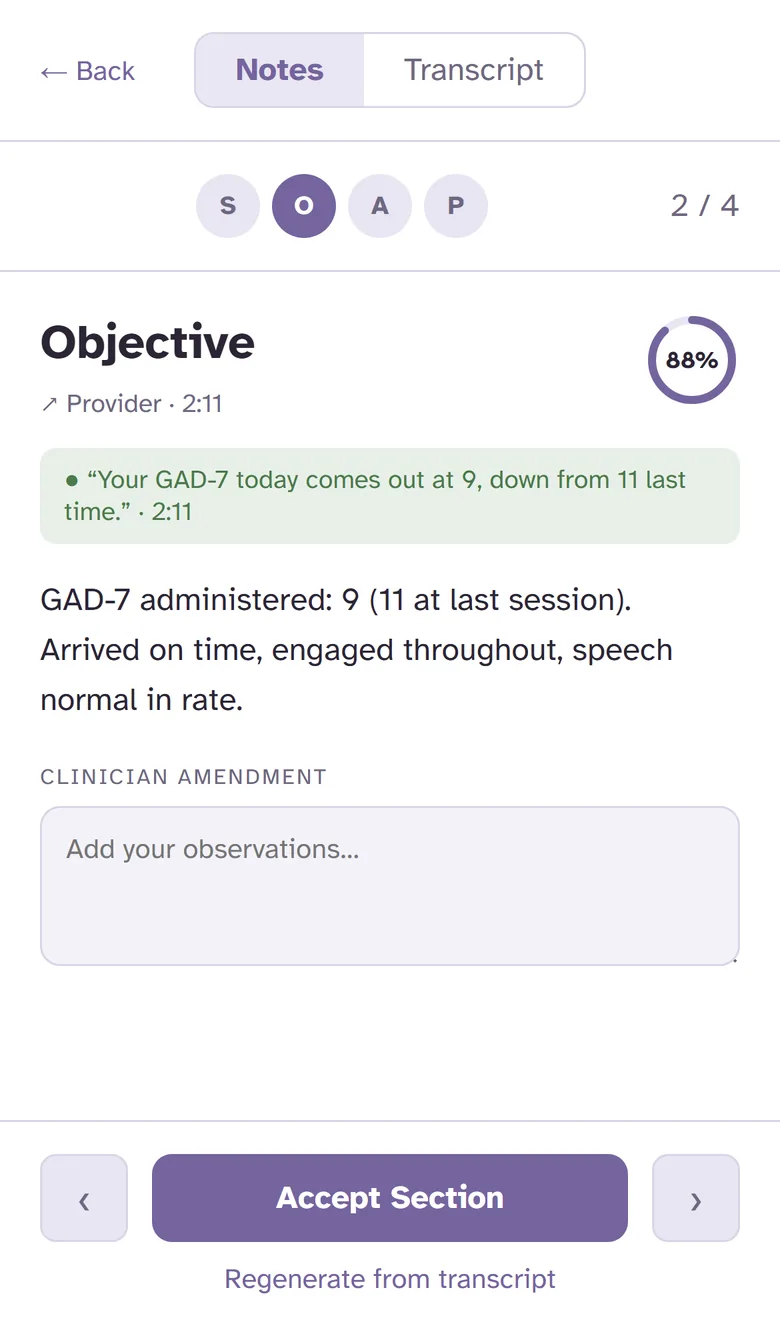
HJachi drafts the note in SOAP, DAP, BIRP or any of its 11 formats. Each section shows the words it came from, so checking it is quick. You're reviewing, not writing from a blank page.
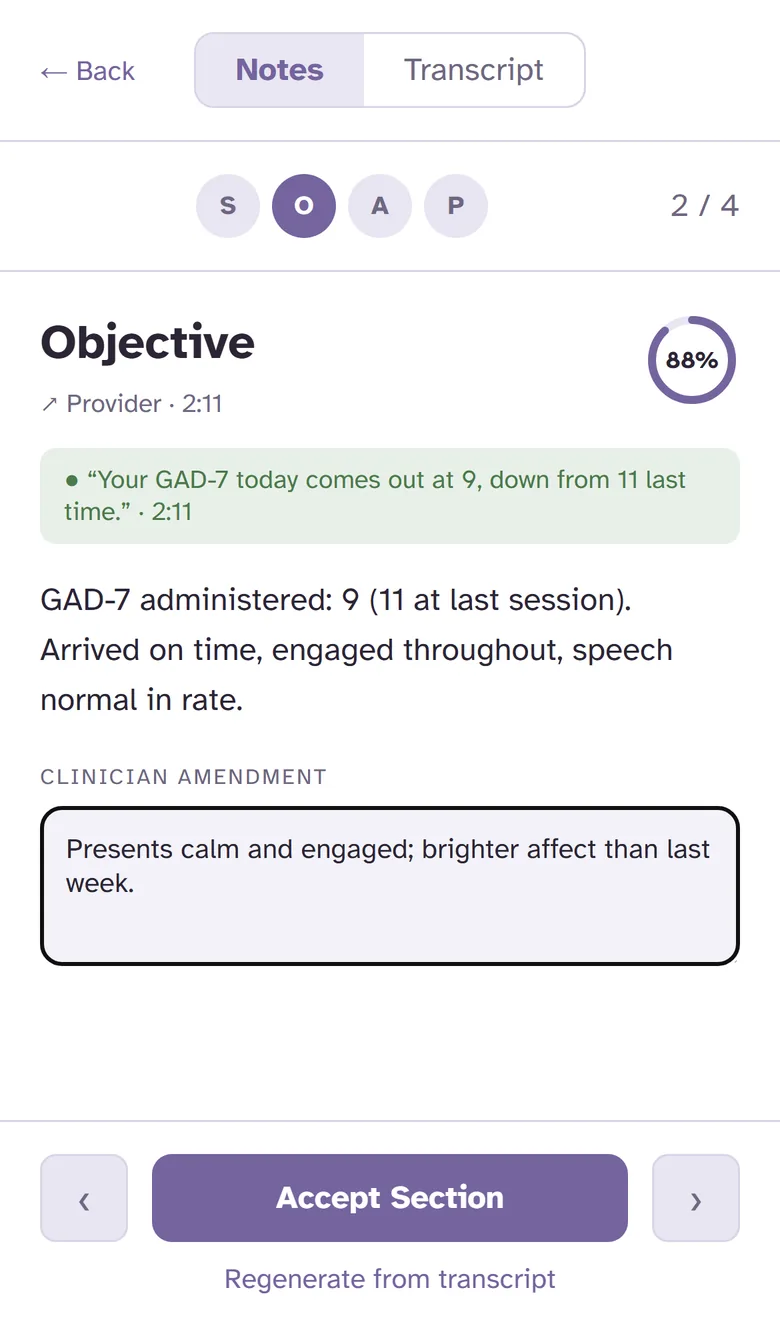
Correct anything that isn't right, add what only you observed, then sign. Signed notes are locked, and any later change is added as a dated amendment.
Each part of the draft comes with the words from the session it was based on. You're checking against what was said, not rewriting from memory at the end of the day.
No add-ons and no second login.
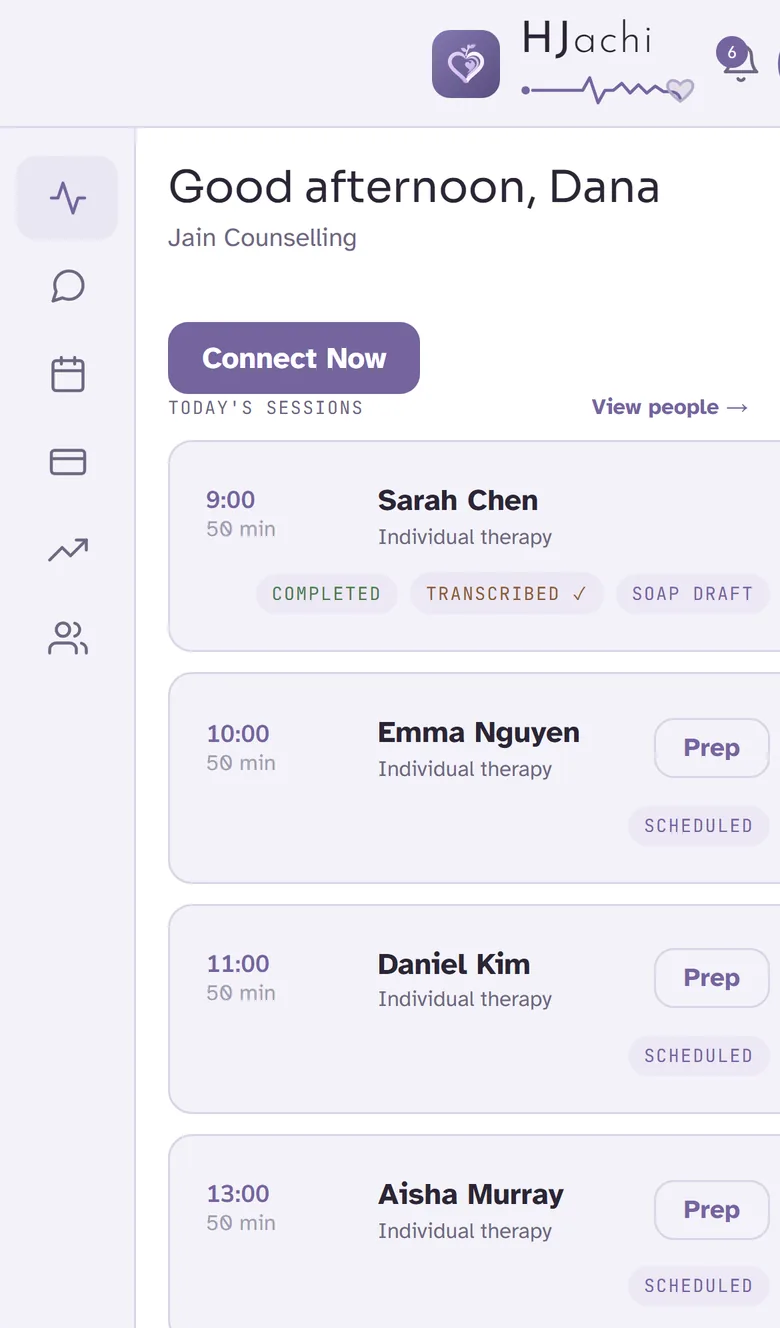
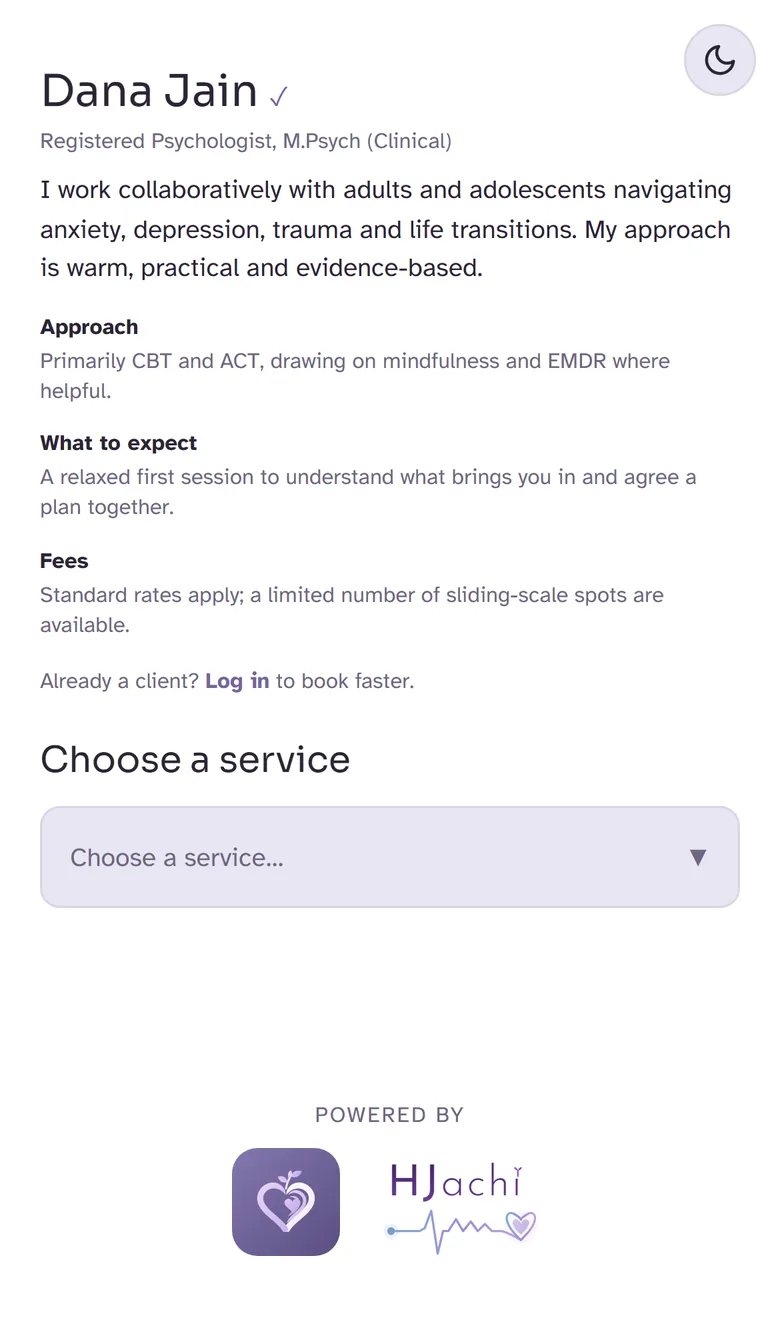
Your own booking page, a widget for your website, a QR code and a listing in the HJachi directory. Clients pick a time and pay, it lands in your calendar, and the money is paid out to you automatically.
Day, week and month views, recurring sessions, and email reminders that go to you and your client on their own.
One link and nothing for clients to install. Start audio-only and turn video on when it feels right, with a waiting room built in.
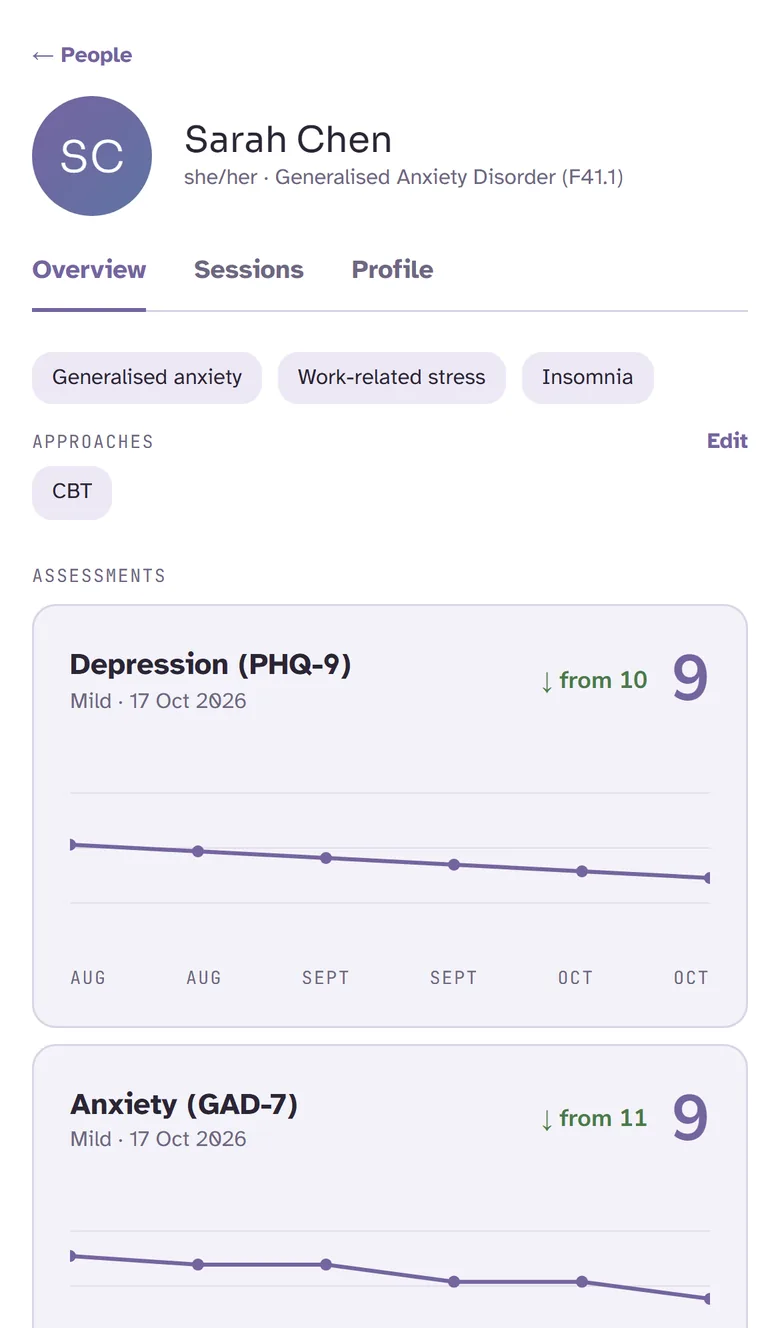
History, presenting concerns, approaches, consent and progress for everyone you see, all in one place.
Stay in touch between sessions without giving out your personal number.
Thought records, DBT diary cards, ACT values, exposure logs and mood check-ins. Answers come straight back to the client's file.
PHQ-9 and GAD-7 over time, so you and your client can both see progress.
Start a session on the spot for a consult call or a check-in, and send a one-tap link.
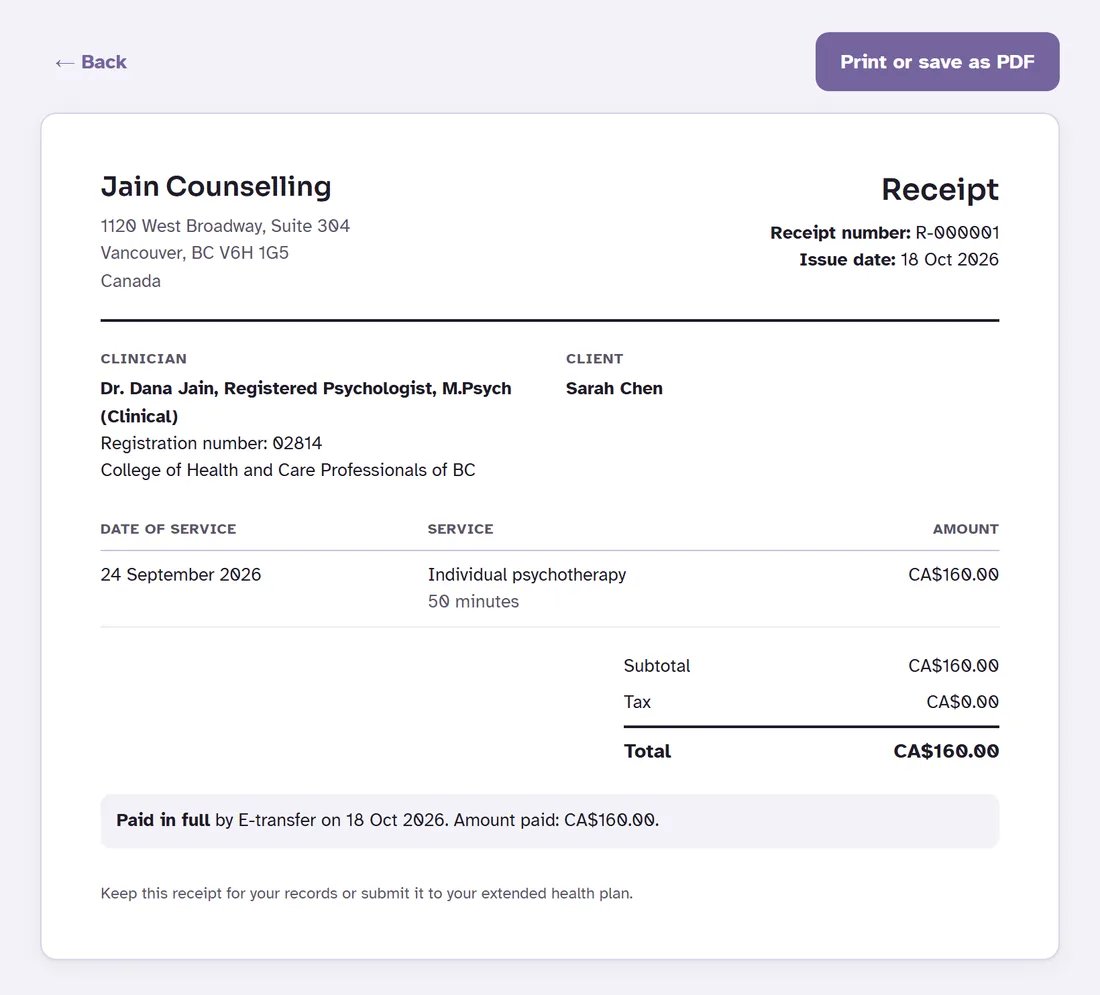
When a client pays through your booking page, HJachi issues a numbered receipt on its own. Paid by e-transfer, cash or cheque? Create one from the session in a few seconds.
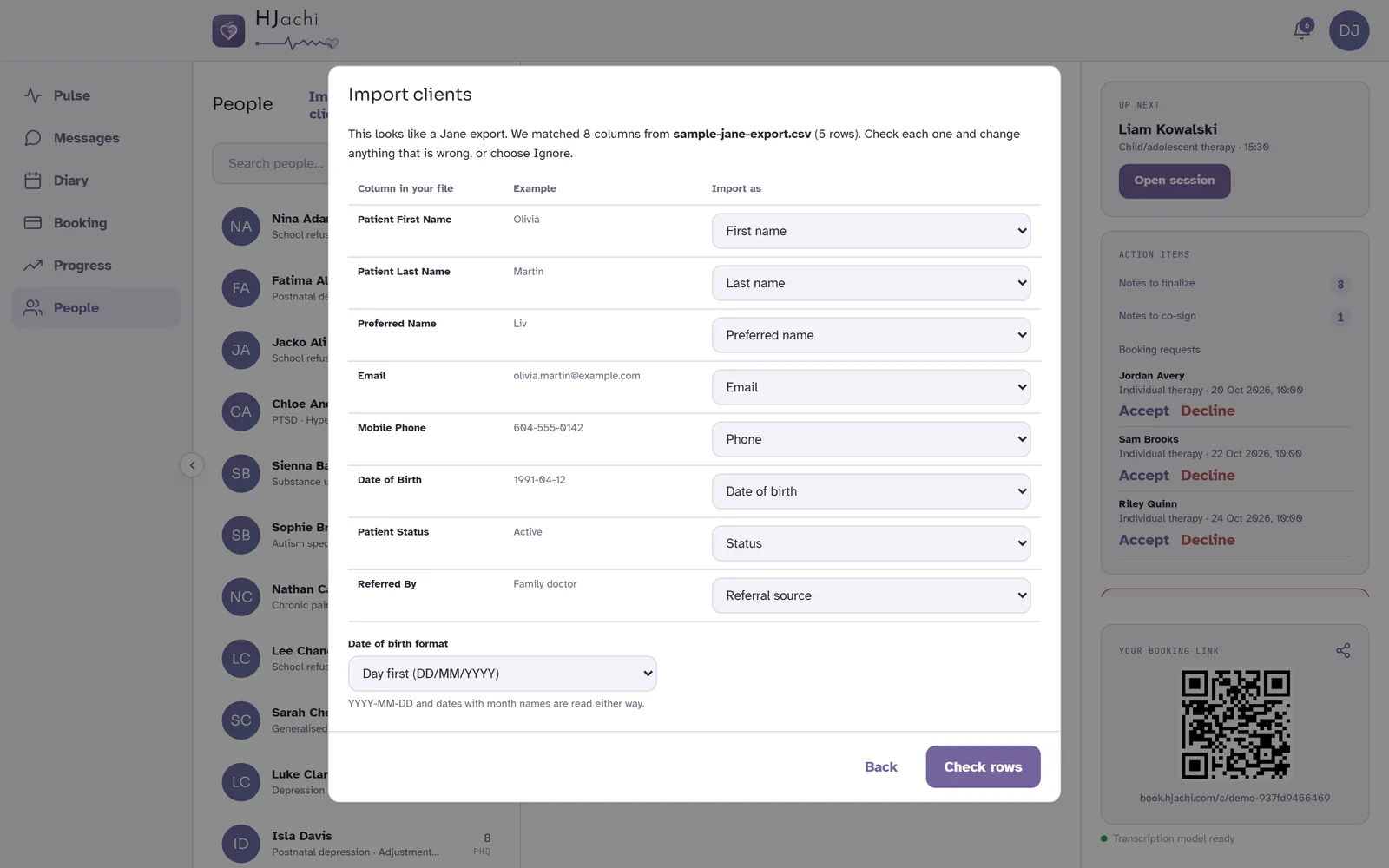
Export your client list from Jane, Owl Practice or SimplePractice, or use any spreadsheet. HJachi recognises the columns, shows you a preview, flags duplicates, and adds everyone in one go. Nobody gets an email until you invite them.
Moving more than a client list? Write to support@hjachi.com and we'll help you plan the move.
Nothing to download, and no account needed to join a session. Your clients book, pay, join with one tap and do their homework from their phone. They never pay a platform fee.
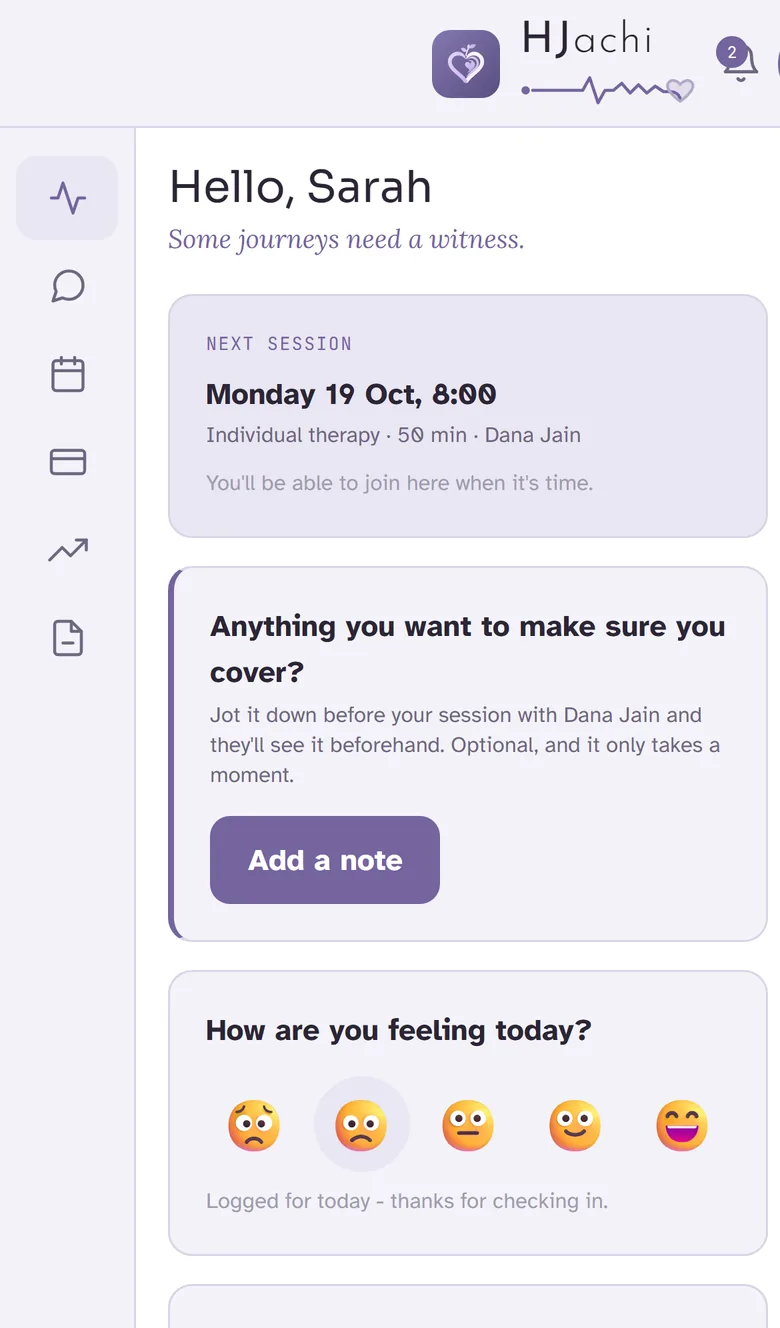
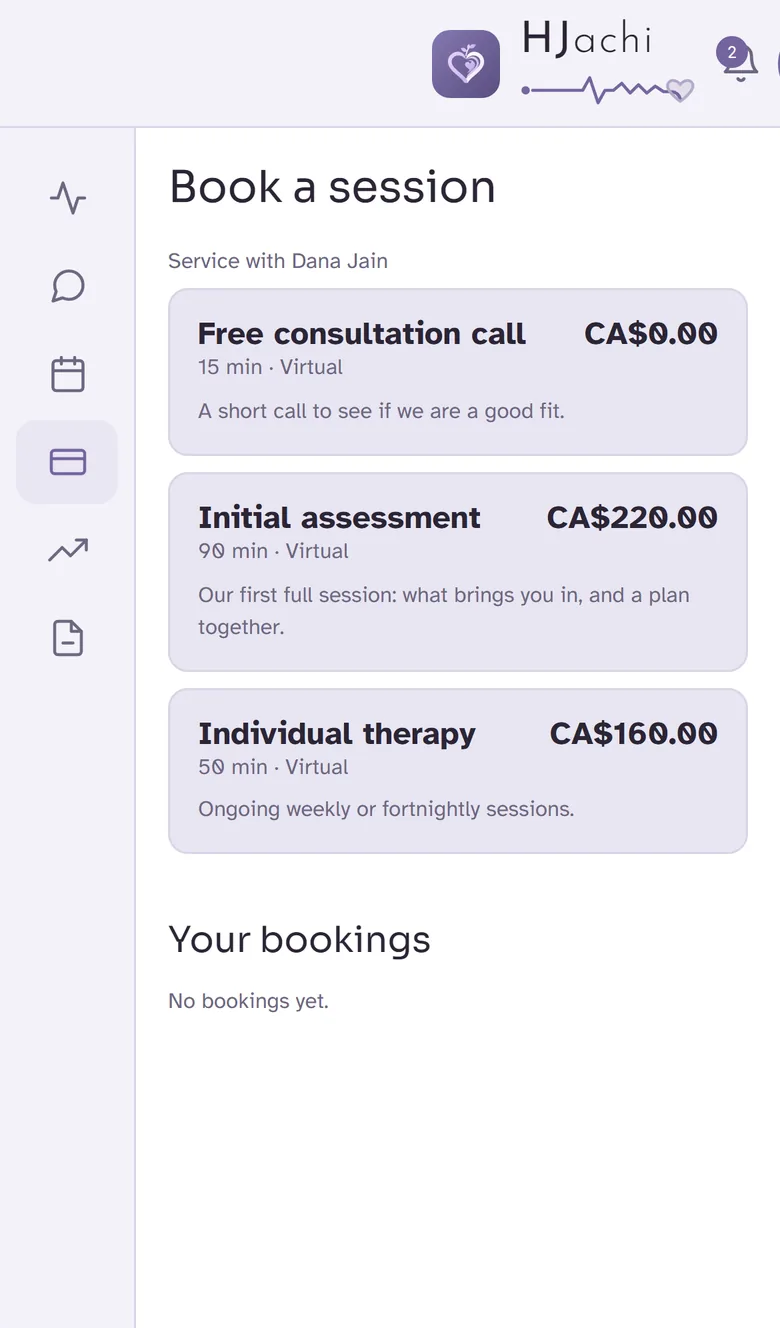
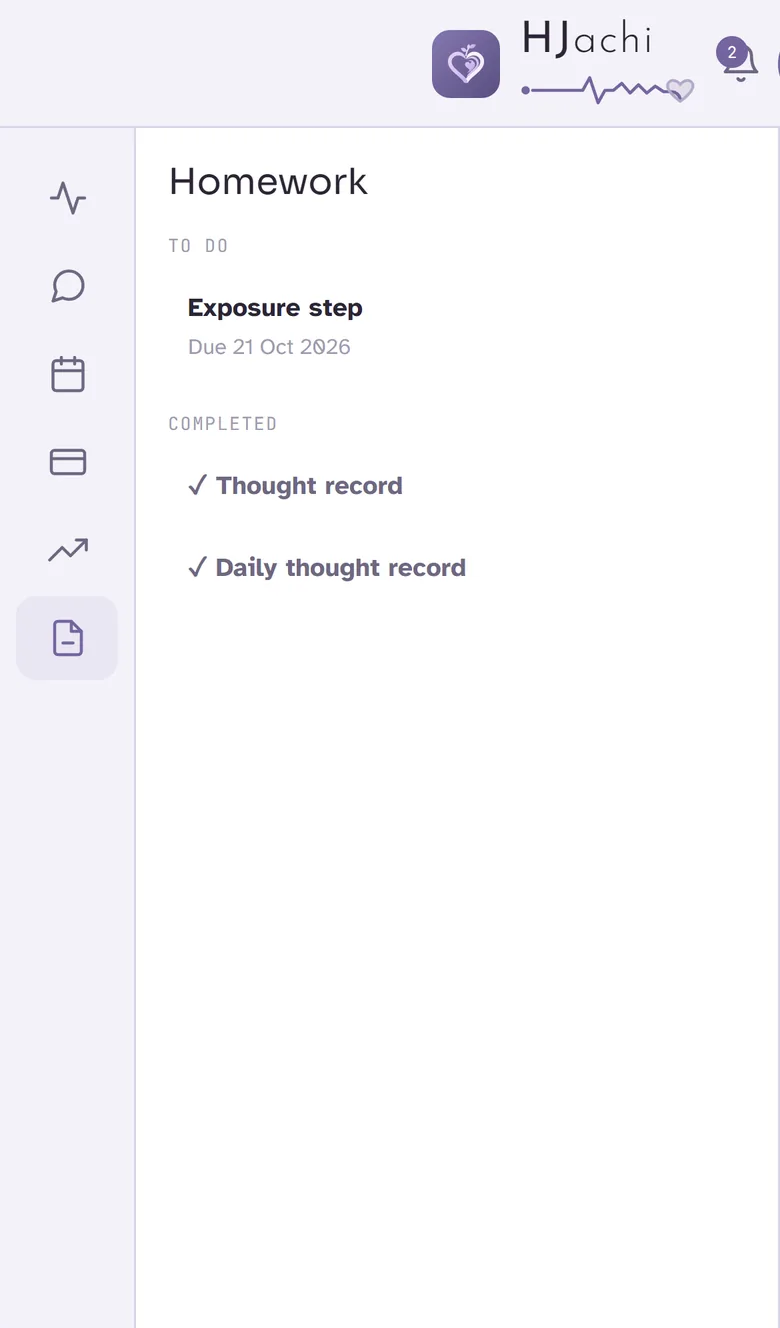
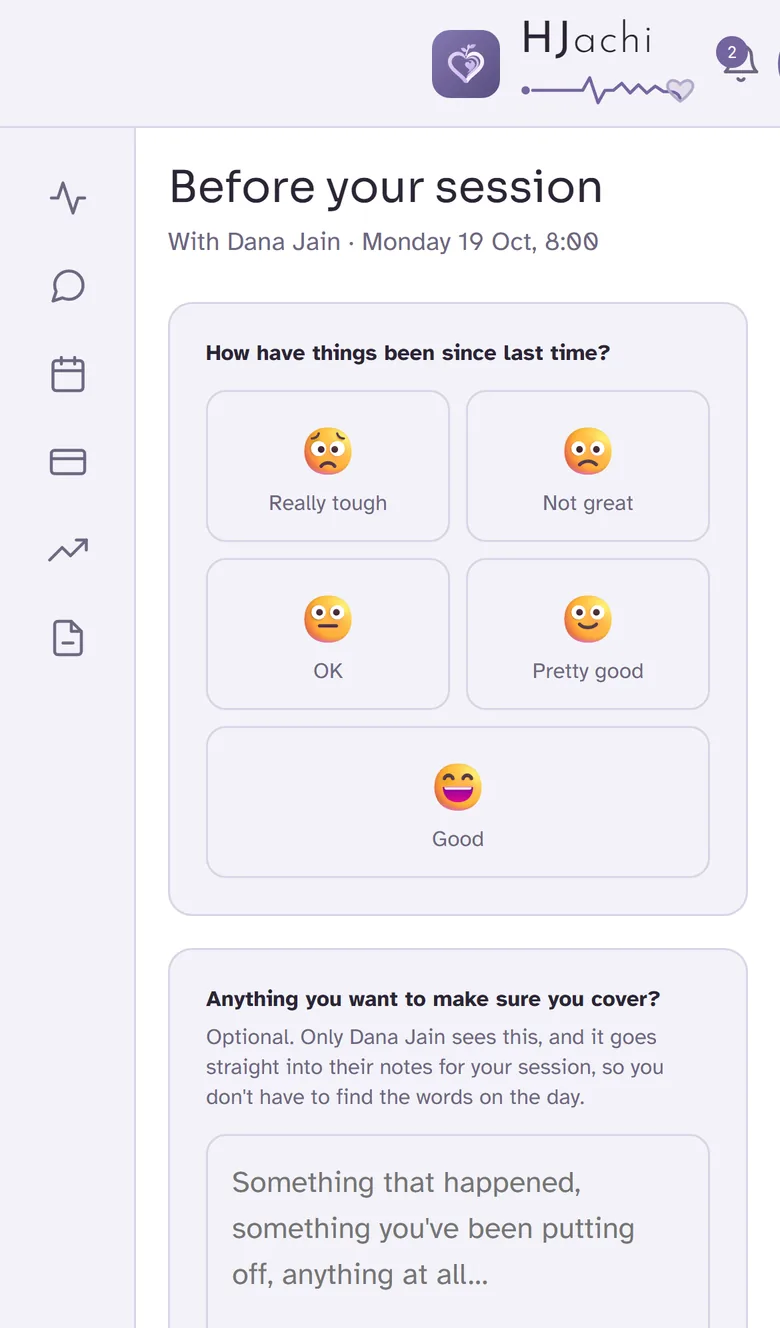
See it the way a client does: open the demo client app.
Add colleagues for $30 a month each. Front desk accounts are free.
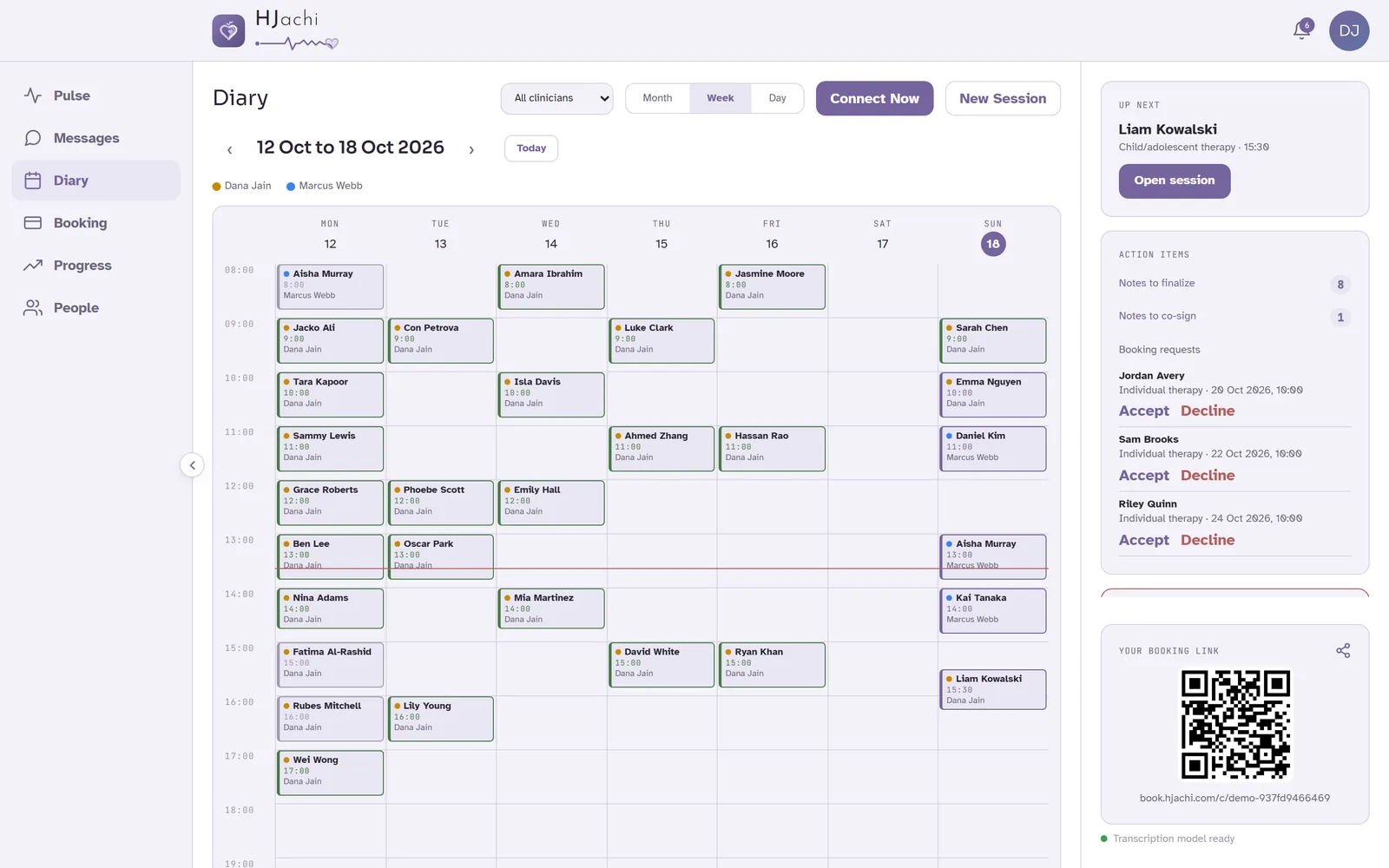
Your front desk books, moves and cancels sessions for every clinician, handles booking requests and payments, and keeps contact details up to date. They never see notes, transcripts or scores, and their account is free.
For provisional or student clinicians, signed notes wait for their supervisor, who co-signs or sends them back with a comment. The final note records both signatures.
See every clinician's day at once, or filter to one. Book a client with the right clinician from the same screen.
When someone leaves, you choose which clinician takes over their clients, and every record stays where it belongs.
Setting up a team of five or more? Talk to us and we'll help you get started.
AI notes are part of the plan, not an add-on. Practice software with an AI scribe add-on usually runs $75 to $135 a month.
plus $30 a month for each colleague
Total: $40 USD a month
14 days free · No credit card · Cancel anytime
Unlimited sessions and clients. Prices in USD; taxes are calculated at checkout.
Every plan includes
Booking payments: clients pay your listed rate, never a surcharge. A small service fee covers card processing and payouts, and the rest is paid out to you automatically.
HJachi suits therapists in private practice who work in English, solo or in a group, in person or on video. Clients who claim on extended health or US insurance get a receipt or superbill for every paid session. HJachi doesn't send claims to insurers for you.
Yes, sometimes. A draft can miss something or get a detail wrong, which is why each section shows the words it came from and nothing is final until you check it and sign. Add what only you observed before you sign.
Yes. Start the session in HJachi on your laptop in the room. It records on that one device, and you can pause at any time.
A phone or computer with a web browser. Joining a session takes one tap from a link, with no account and nothing to install.
You do. HJachi drafts it from the session and shows the words each section is based on. Nothing is final until you check it and sign.
SOAP, DAP, BIRP, GIRP, NARP and PIE, plus formats shaped for CBT, DBT, ACT, ERP and solution-focused work.
Yes. Up to four people can take part in a session, and each person gives their own consent before anything is recorded.
Many therapists say something like: “I use HJachi to help me write up my notes, so it records our session. You can say no, or ask me to pause, at any time, and it won't change your care.” Your client then confirms on screen, or from a link before the session.
Yes. Export your client list from Jane, Owl Practice, SimplePractice or a spreadsheet and import it on the People page. HJachi matches the columns, flags duplicates and sends no emails. Appointments and past notes don't come across yet; write to support@hjachi.com and we'll help you plan the move.
Yes. A numbered receipt is issued automatically when a client pays through your booking page, and you can create one for sessions paid by e-transfer, cash or cheque. It shows your credentials and registration number, so clients can claim on their extended health plan. US practices can add CPT and ICD-10 codes for a superbill.
No. Front desk accounts are free. They can run every clinician's calendar, bookings and payments, and never see notes, transcripts or scores.
$40 USD a month for one clinician, plus $30 for each colleague. Or pay yearly: $400, plus $300 for each colleague. Taxes are calculated at checkout. When clients pay through your booking page, a small service fee covers card processing and payouts, and the rest goes to you.
Your 14 days include everything. To keep going, choose monthly or yearly billing in the app. We never ask for a card during the trial, so you won't be charged unless you subscribe.
Transcripts and notes are in English today.
Signed notes are locked and every later change is a dated amendment, and consent is on file for each person in a session. HJachi is built to follow Canadian federal and provincial privacy law and HIPAA in the US, and we sign a Business Associate Agreement for US practices on request. As with any system, check it against your college's recordkeeping standard. Details are on our Security page.
HJachi is made by HJachi Solutions Inc., a small team in British Columbia, Canada. You can reach us at contact@hjachi.com or +1 (778) 902-4072.
HJachi started with a quiet frustration: thoughtful clinicians spending their evenings writing notes instead of resting, or being with the people who matter to them. We built the platform we wished existed, one that handles the admin so the care can stay human.
Every decision starts with two questions: is this good for the person, and does it give the clinician time back? If the answer to either is no, it doesn't ship.
The language, the design and the defaults keep the person at the centre of the work.
Your note format, your approach, in your office or on video.
Drafted notes, self-serve booking and one-tap sessions exist for one reason: to hand your evenings back to you.
Start your 14-day free trial. Setup takes a few minutes, and no credit card is needed.
Start free trialNot ready yet? Explore a demo practice, no sign-up needed.
Already using HJachi? Sign in